Create a live event
Start with the basics. You can fill in the rest, including landing page, emails, and speakers, later.
Click + New event
Click + New event from your dashboard or the sidebar.
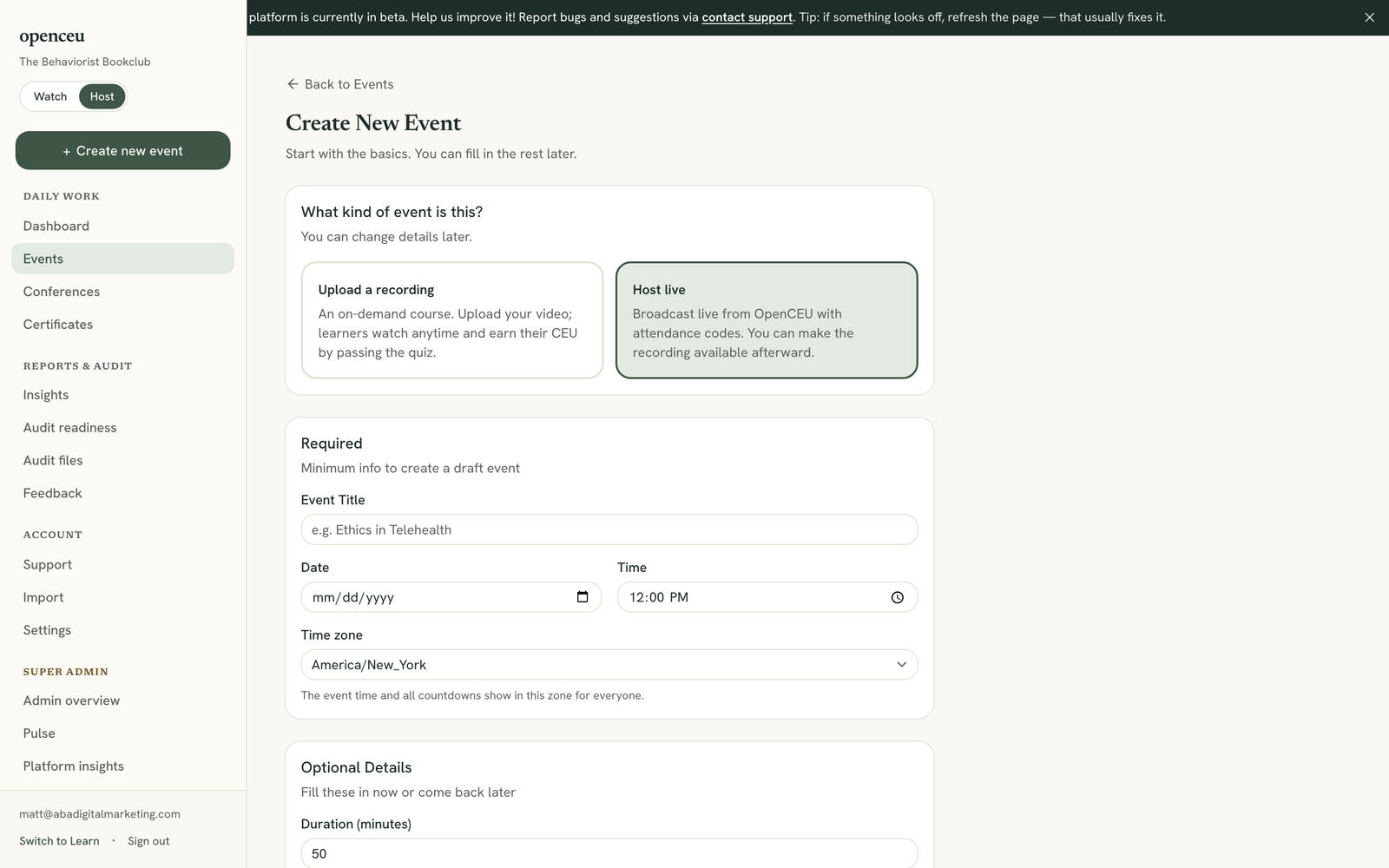
Choose Host live
Under What kind of event is this? pick Host live. This broadcasts from OpenCEU with attendance codes, and you can make the recording available afterward.
This choice may not appear yet
Choose who earns credit, if asked
If your organization also hosts RBT professional development, pick BCBA / BCaBA for a CEU event. This choice locks after you create the event and cannot change later.
Live PD events work the same way
Fill in the required fields
Type the Event Title, then set the Date, Time, and Time zone. Everyone sees the countdown in the time zone you pick here.
Fill in the optional details
Set the Duration in minutes. OpenCEU calculates Learning CEUs automatically (0.5 CEU per 25 minutes) unless you type your own number. Add the Speaker Name and Speaker BACB #, check any CEU Type boxes that apply (General, Ethics, Supervision), and fill in Ethics CEUs or Supervision CEUs if you checked those. A description, abstract, and learning objectives keep your BACB records complete.
Set a ticket price, or keep it free
Under Ticket price, pick Free so anyone can register at no charge, or Paid to charge for a live seat and type the amount. You are the merchant of record and keep the full price minus Stripe’s processing fee.
Connect Stripe before you can charge
Click Create Event
Click Create Event at the bottom of the form. You land on your new event’s page with a checklist of what to set up next.
Still stuck? Contact support and we'll help.