Write your quiz questions
Attendees pass this quiz to earn their CEU. You need at least 3 questions for every CEU the event awards.
Open Manage quiz from your checklist
Open your event, then click Manage quiz in the checklist. The page shows how many questions you have and how many you need.
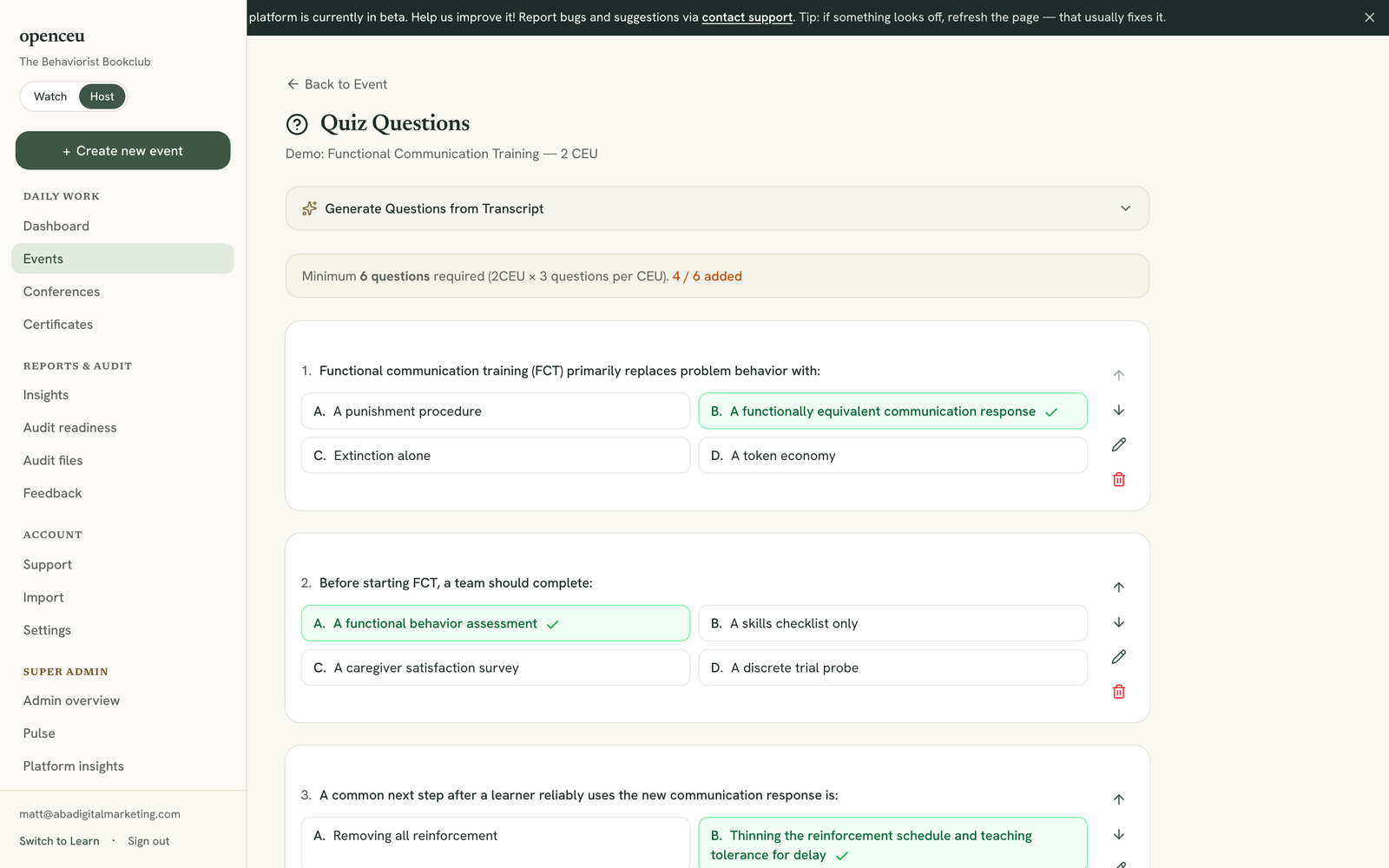
Generate questions from a transcript, or write your own
Open Generate Questions from Transcript. Paste your presentation transcript, set the number of questions, and click Generate Questions. Review the results, uncheck any you don’t want, then click Add Selected Questions.
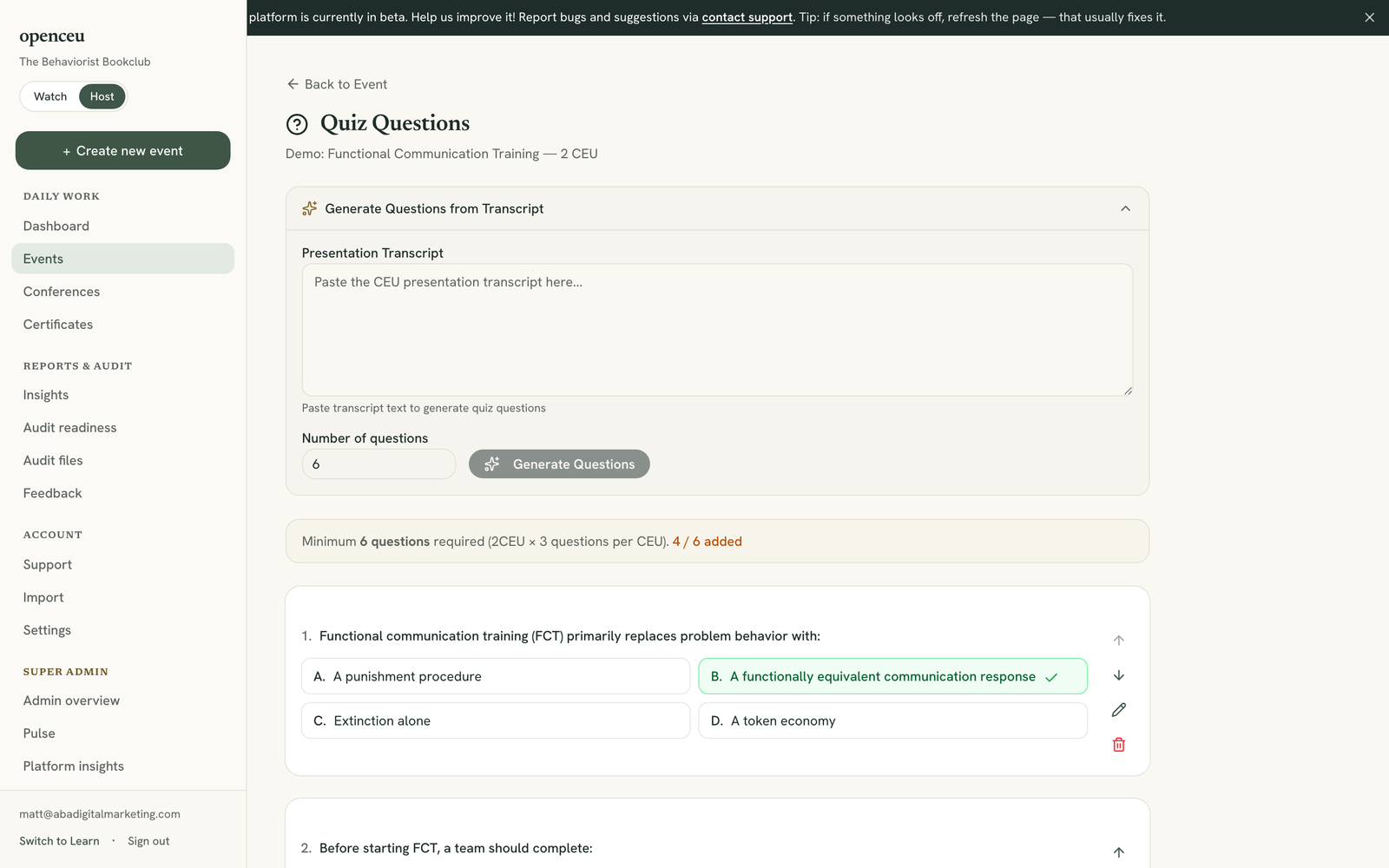
Add a question by hand
Click Add Question. Type the question and all four options, mark the correct one, and click Save Question.
Reorder or edit questions
Use the up and down arrows on any question to reorder it. Click the pencil icon to edit a question, or the trash icon to delete one.
Publish the quiz
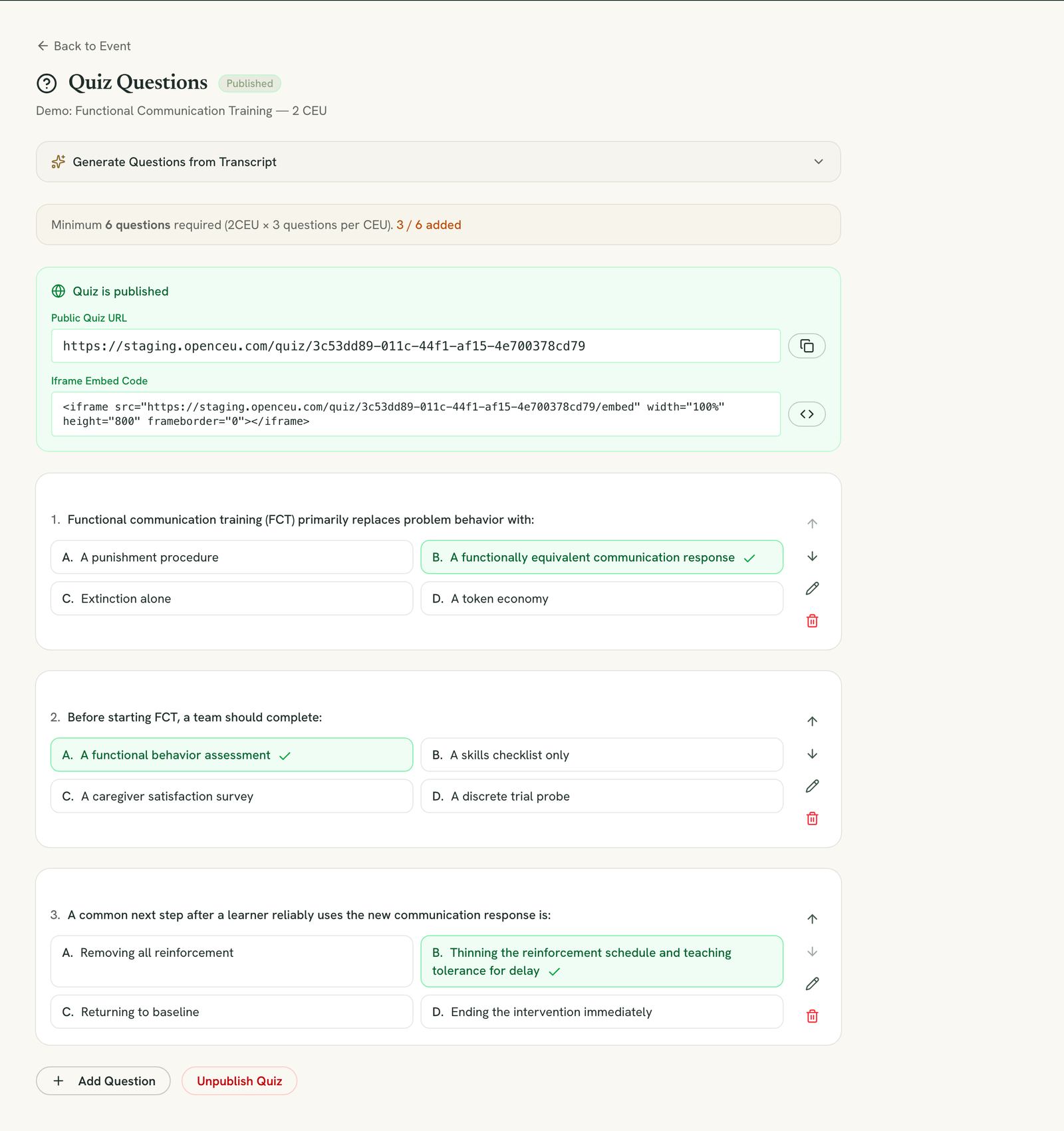
Once you have enough questions, click Publish Quiz. Attendees can now take it.
Copy the link or embed it
Still stuck? Contact support and we'll help.