Publish your course
Your course goes live for learners only after you publish it. OpenCEU checks a short list first, so nothing incomplete ever goes public.
1
Open your event page
Go to your event page. Near the top you will see a status banner that tells you exactly where your course stands.
2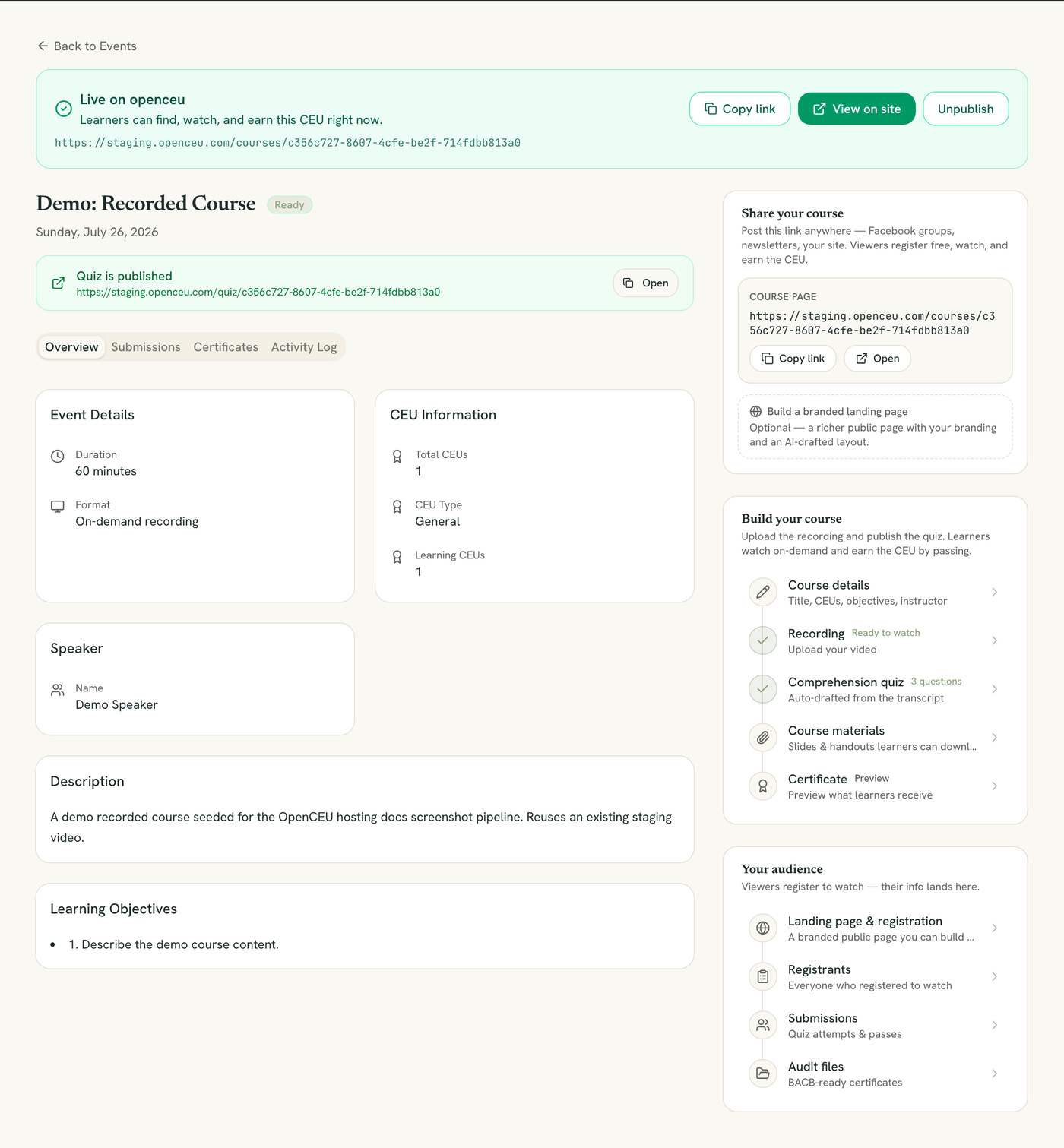
The Live on openceu state, one of the three banner states below.
Read the banner
The banner shows one of three states:
- Not on the site yet: a checklist of what is still missing.
- Ready to publish: everything is set, but the course is not public yet.
- Live on openceu: learners can find, watch, and earn credit right now.
3
Finish anything the checklist lists
A recorded course needs all of the following before it can publish:
- A title
- A credit value greater than zero
- An instructor or speaker
- Learning objectives
- A recording that finished processing (see Upload a recording)
- A comprehension quiz with at least one question
RBT PD events need one more thing
A PD event also needs an instructor credential (BCaBA, BCBA, or BCBA-D) before it can publish.
4
Click Publish, go live
When the banner reads Ready to publish, click Publish, go live. Your course now appears on /courses for anyone to find, register for, and watch.
5
Unpublish if you need to
Once live, the banner shows a View on site link and an Unpublish button. Unpublishing takes the course down. Learners who already earned credit keep their certificate.
Still stuck? Contact support and we'll help.