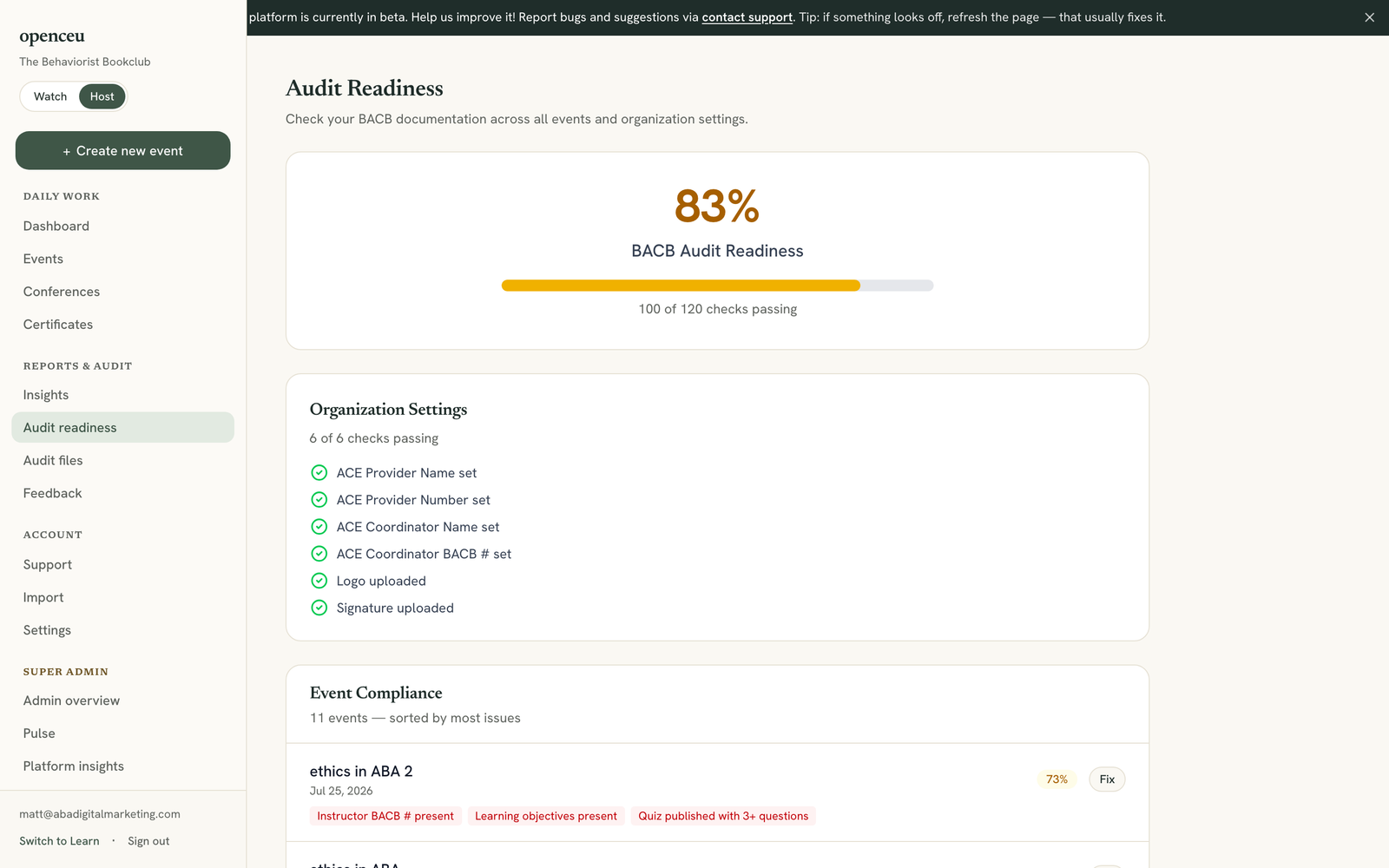
See a compliance score for your organization and every event, so you know what to fix before a BACB audit.
1
Open Audit readiness
In your side menu, under Reports & audit, click Audit readiness. You will see one big percentage at the top of the page.
This is one score for your whole organization.
2
Check your organization settings
The Organization Settings card lists checks like your ACE provider number, coordinator name, logo, and signature. A red X means something is missing.
Fix it fast
Click Fix in Settings under this card to jump straight to your organization settings page.
3
Find an event with issues
The Event Compliance list is sorted with the most issues first. Checks include your instructor's BACB number, learning objectives, a published quiz, and at least one certificate issued.
Each event shows its own percentage and a list of what is missing.
4
Click Fix to jump to the problem
Click Fix next to an event to open its edit page and add what is missing.