Apply for a host account
Every ACE provider goes through a short application before they can host. Here is what to expect, from your first account to your first login.
Create your host account
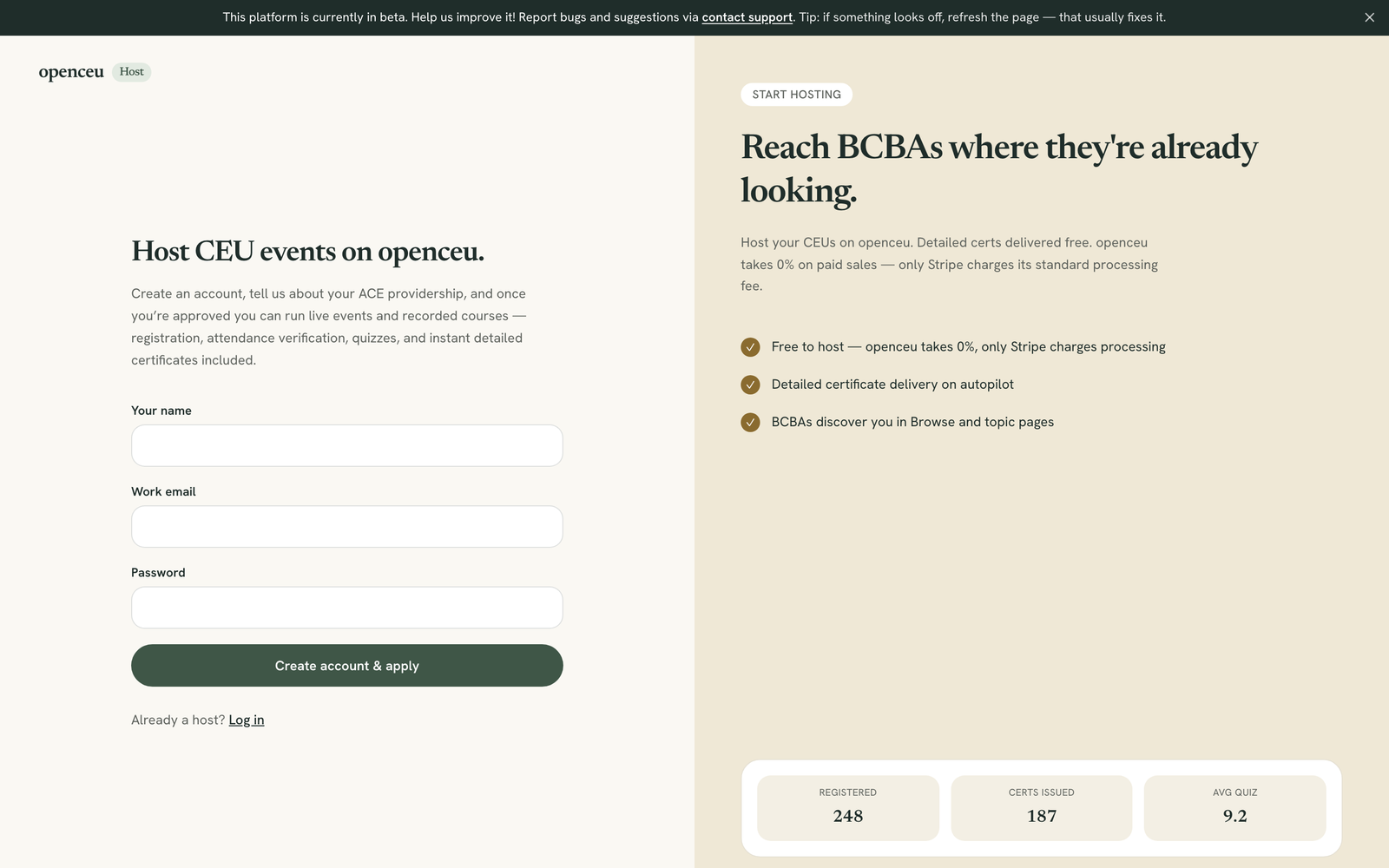
Go to the host signup page. Type your name, your work email, and a password with at least 8 characters. Click Create account & apply.
Check your email if asked
Fill out your host application
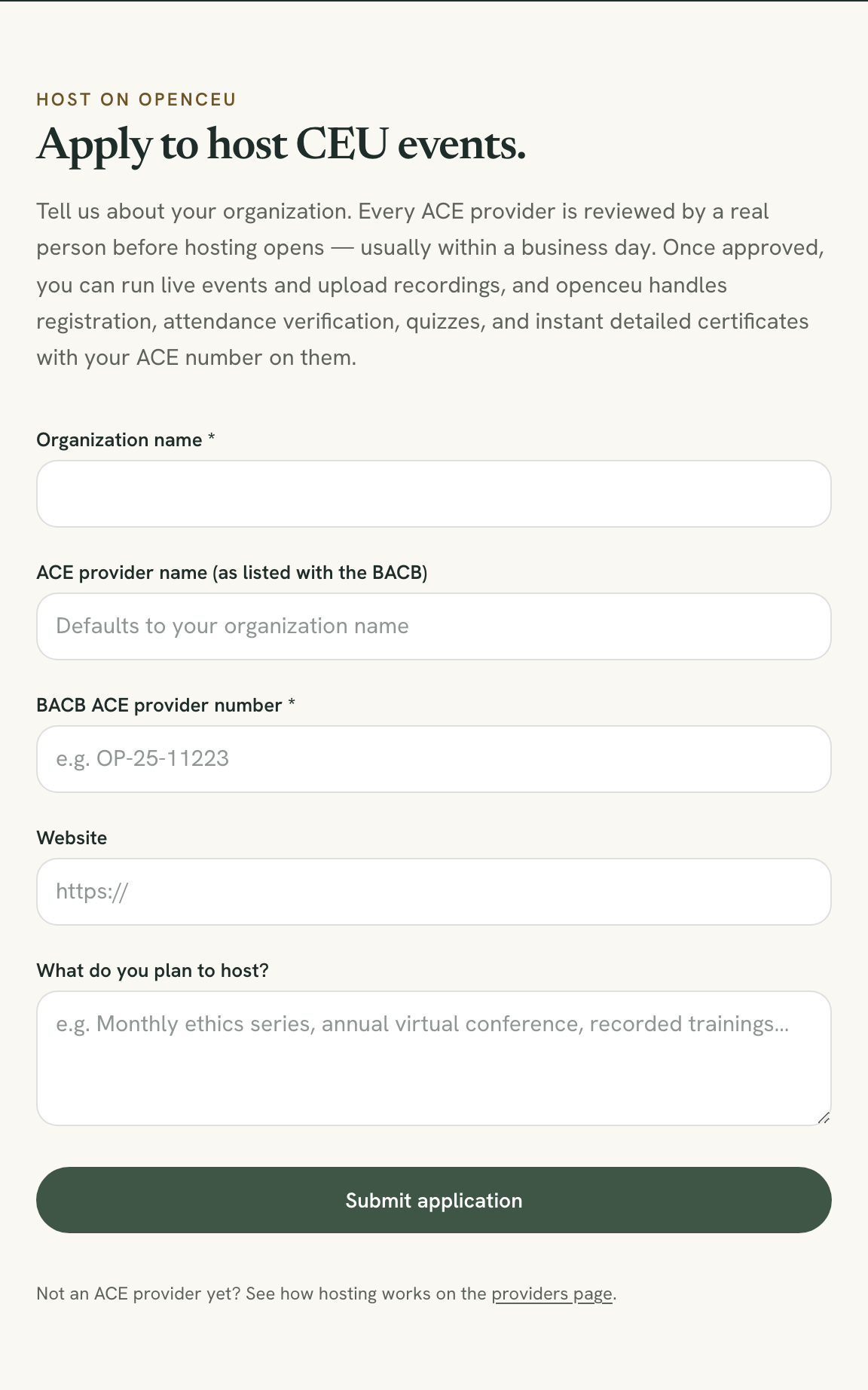
Creating your account takes you straight to the application form. Fill in:
- Organization name (required)
- ACE provider name as listed with the BACB (leave blank to use your organization name)
- BACB ACE provider number (required)
- Website (optional)
- What you plan to host, in a few words
Click Submit application.
Wait for review
A real person reviews every application. Most are reviewed within a business day. You do not need to do anything while you wait.
Accept the hosting agreement
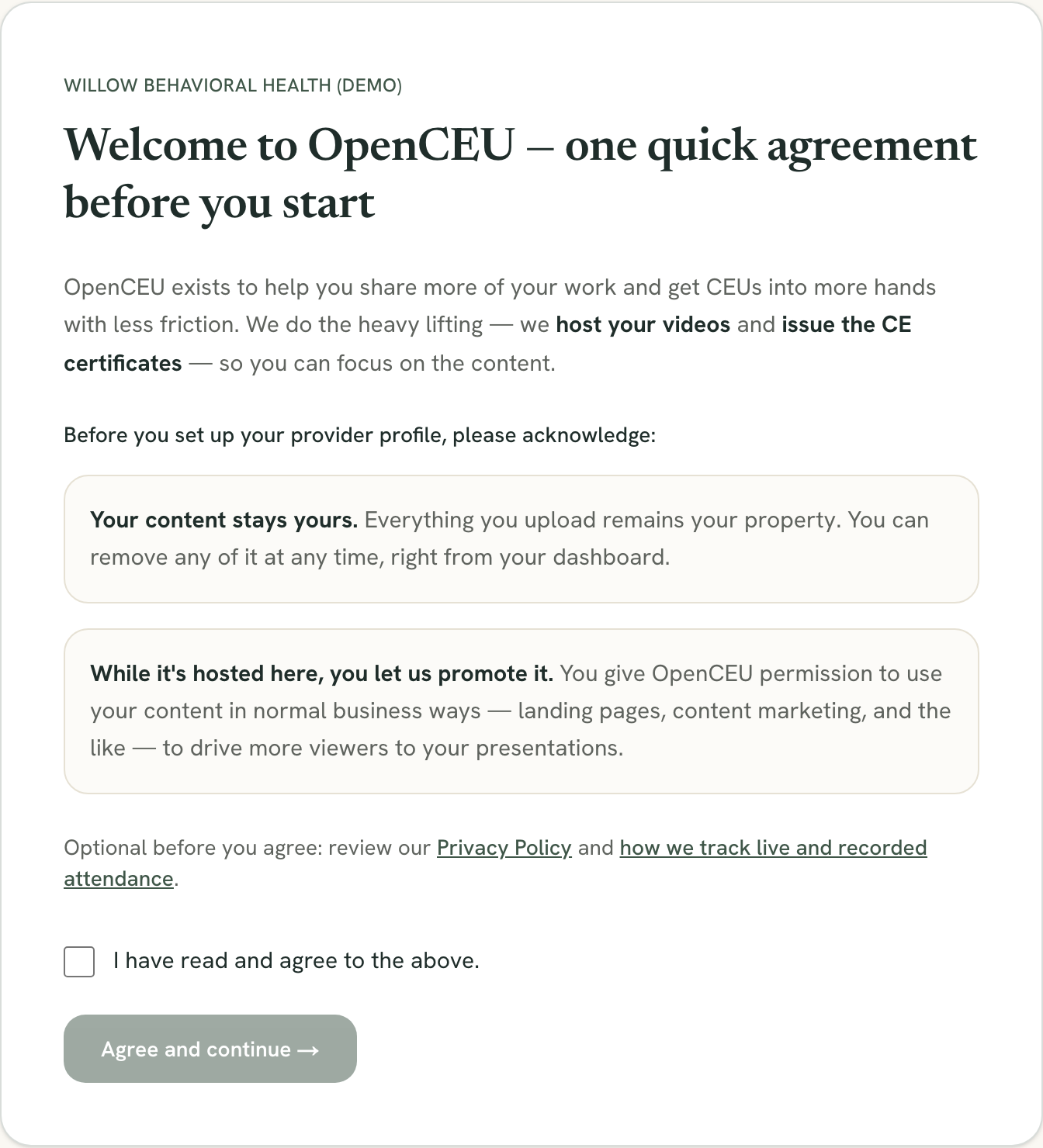
Once approved, log in and you will land on a short welcome page. It covers two things: your content stays yours, and while it is hosted on OpenCEU you let us promote it. Check the box and click Agree and continue. This takes you to your host dashboard.
Still stuck? Contact support and we'll help.